
Arrow Puzzle: Tap Puzzle Games
EasybrainPuzzle
4.86.91K Reviews
- Version
- 1.13.0
- Installs
- 100.00M
- Age Rating
- Everyone
Screenshots
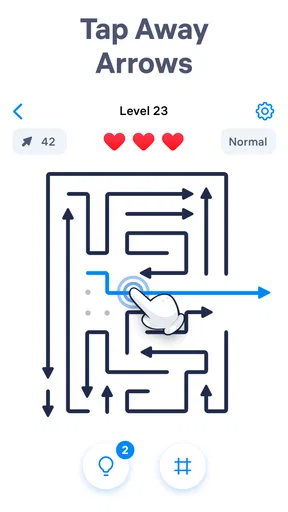
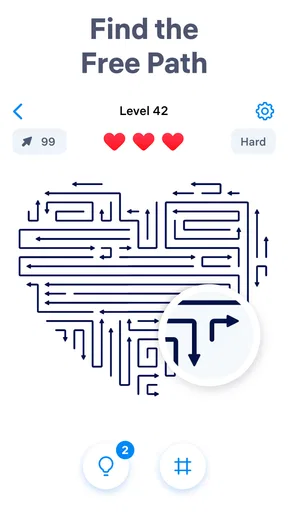
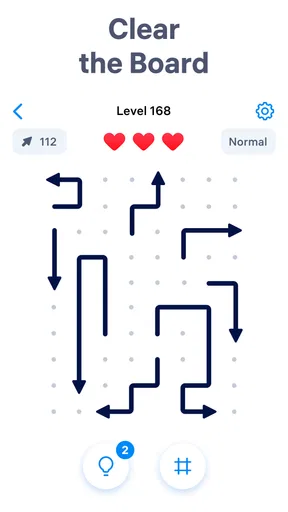
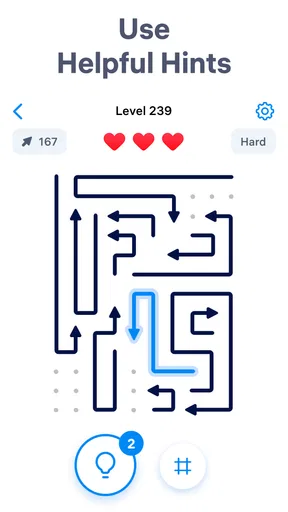
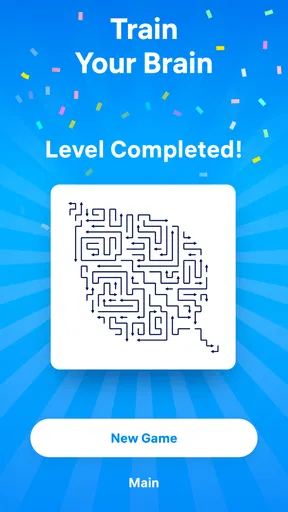
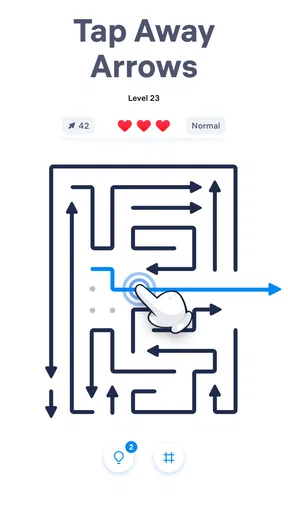
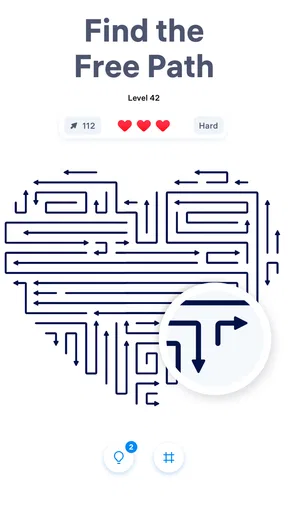
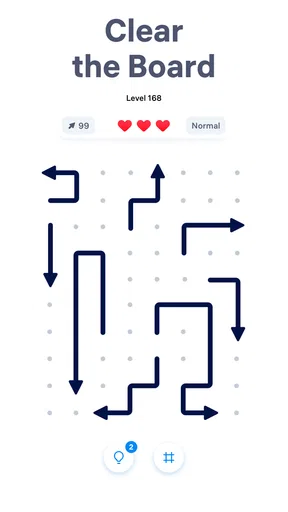
Our Review of Arrow Puzzle: Tap Puzzle Games
 Analysis by Appyee
I spent time with Arrow Puzzle: Tap Puzzle Games as a short-session puzzle game, and its appeal is easy to understand: each board asks me to remove arrows in the right order so the maze can open up. It is a simple idea, but not a mindless one. The challenge comes from reading the board before tapping, spotting which pieces are actually free to move, and resisting the urge to make a quick move that blocks the rest of the solution.
That makes it a good fit for the moments when I want something more engaging than scrolling but less demanding than a long strategy game. I can pick it up for a brief mental break, work through a puzzle at my own pace, and stop without losing the feeling that I made progress. At the same time, players looking for a story, deep character systems, or a large competitive community will probably find the experience too focused and repetitive.
How the arrow puzzles work in everyday play
The central task is to tap arrows so they leave the maze. The important detail is that the board is not solved by speed alone. I have to look at the direction of each arrow and decide whether it has a clear route. An arrow that appears ready may be part of a larger sequence, while another piece can become the key to opening several later moves.
I found the best rhythm was to pause for a few seconds at the beginning of every level. Instead of tapping the first available arrow, I scan the outer edges, identify blocked directions, and then look for the move that reduces the most congestion. This small habit makes the game feel more like a visual logic exercise than a reflex challenge.
The format also works well on a phone because the objective is immediately readable. There is no complicated control scheme to learn, and the short description, “Arrow Puzzle,” accurately reflects the focused nature of the experience. The game is categorized as a puzzle title, and that is exactly where it belongs: the satisfaction comes from arranging actions correctly, not from collecting characters or managing a virtual world.
One useful way to approach a difficult board is to treat every arrow as a dependency. If one piece points toward a crowded edge, I ask what must move before that route becomes available. This prevents a common mistake: clearing a visible section while leaving the real bottleneck untouched. I also try to remember that a move can be valuable even when it does not immediately remove an arrow, because it may expose the next legal path.
A calm game with a surprisingly deliberate pace
My favorite part of the design is the way it rewards observation. The game does not need a complicated rulebook to create tension. A crowded board can look nearly solved and still require a careful sequence, while a visually messy layout may open quickly once the right arrow is found.
That makes it suitable for a commute, a waiting room, or a short break between tasks. In an everyday scenario, I could play a few boards while waiting for an appointment, put the phone away when my name is called, and return later without needing to remember a plot or a complicated mission. The mental reset is more active than watching short videos, but it does not demand the uninterrupted attention of a long-form game.
There is also a useful distinction between playing for relaxation and playing for mastery. If I simply want a gentle diversion, I can make obvious moves and enjoy the board clearing. If I want to improve, I can slow down and look for the sequence that avoids unnecessary errors. That second approach gives the game more staying power than its one-line premise might suggest.
What the free price means for value
The game is free to download, so the initial decision is straightforward: I can try the core experience without paying an entry fee. That matters for this genre because the basic question is whether the arrow-clearing loop remains enjoyable after the novelty wears off. A free starting point lets me answer that through actual play rather than committing money first.
There are in-app purchases priced at $14.99 per item. I would therefore treat any purchase as an optional commitment rather than part of the basic cost of trying the game. The free access is the clearest value for casual players, while the paid value depends on how much I enjoy continuing and what each individual purchase offers at the moment I consider it. I would not buy anything automatically just because the game is free to install.
This distinction is important. “Free” makes Arrow Puzzle easy to sample, but it does not mean every part of the long-term experience has no cost. Before spending, I would ask whether I am buying something that genuinely improves the way I play or simply responding to frustration on a difficult board. For a puzzle game built around thinking through obstacles, taking a short break and returning with a fresh view can sometimes be more useful than paying for an immediate solution.
From a value perspective, the strongest case is for people who enjoy repeatable logic challenges and want a low-commitment game on their phone. The weaker case is for anyone who expects a substantial paid package, a clear narrative campaign, or a broad range of gameplay styles. This is a focused puzzle product, and its value rises or falls mainly with the quality of that central loop for the individual player.
Where it sits beside familiar puzzle alternatives
Compared with match-three games, this title asks for more planning and less pattern chasing. I am not mainly looking for a group of matching colors or waiting for a chain reaction. I am analyzing direction, space, and order. That makes it a better choice when I want a deliberate brain teaser and a less suitable one when I want constant visual rewards.
Compared with crossword or word games, the challenge is spatial rather than verbal. I do not need a large vocabulary or a strong interest in clues. The trade-off is that players who enjoy expressing themselves through language may find the arrow boards narrow by comparison. The game gives me a clean visual problem, not a broad set of themes or trivia.
It also differs from classic number puzzles. A number grid can encourage long-term deduction across many cells, whereas these boards are about movement and access. I can often understand the immediate goal faster, but the experience may feel less varied to someone who wants several distinct puzzle systems in one app. For me, the advantage is clarity: I know what I am trying to free, and the challenge comes from finding the correct order.
Traditional offline puzzle books still have one advantage: they do not depend on a phone screen. If I want a completely screen-free activity, Arrow Puzzle is obviously not the right tool. On the other hand, the digital format makes it easier to carry, start instantly, and use in small gaps during the day. The choice is less about which format is universally better and more about whether I want tactile paper solving or quick interactive boards.
Small habits that make harder boards less frustrating
The first habit I recommend is to avoid treating every available arrow as equally important. I look for the piece that blocks the greatest number of routes, even if it is not the easiest one to tap. Removing a low-impact arrow may feel productive but leave the main obstruction untouched.
The second is to use a two-stage scan. I first inspect the outside of the maze, then check the interior only after I understand which exits are already open. This reduces visual overload and helps me notice when an inner arrow is waiting for a specific outer move. It is a simple workflow, but it turns a crowded board into a sequence of smaller questions.
The third is to stop tapping when I begin guessing. A guessed move can create more confusion than a short pause. I would rather reset my mental picture, trace the direction of the blocked arrow, and identify its dependency. This is especially useful for players who tend to rush through easy openings and then become annoyed when the final section does not cooperate.
A fourth useful approach is to solve backward from the most constrained area. If one edge has only a narrow route, I examine what must be cleared for that route to work, then move outward through the board. This is different from simply following the most visible arrow and can reveal a solution when the obvious path leads nowhere.
These methods do not turn the game into a different product, but they make the central puzzle more rewarding. They also explain why I would recommend it to someone who likes improving their process, not just completing levels. The game can be played casually, yet it gives careful players a reason to develop better visual habits.
Who will get the most from it
Arrow Puzzle is a strong match for casual puzzle fans who want a clear objective, quick sessions, and enough planning to keep the brain involved. It should also appeal to people who enjoy decluttering-style challenges, where the pleasure comes from watching a complicated arrangement become orderly one move at a time.
The Everyone content rating makes it approachable for a broad audience. I would still choose it based on personal taste rather than age alone, because the real question is whether the player enjoys repeated spatial problems. Someone who likes thinking before acting may find the simplicity refreshing; someone who needs constant novelty may lose interest sooner.
The title has reached more than 50 million installs and holds a 4.8 average from about 1.2 million ratings. Those figures suggest that the basic concept has broad appeal, although popularity does not guarantee that it will suit every player. I see those numbers as a reason to try it, not as a substitute for deciding whether this particular style of puzzle is enjoyable for me.
Easybrain is the developer, and the current version is 1.8.0. The game runs on Android 8.0 or later, which makes it accessible on many older compatible devices as well as newer phones. If I were installing it on an older handset, I would still pay attention to how comfortable the board is to view and tap, because small visual puzzles are less pleasant when the screen feels cramped.
Who should probably skip it
I would skip this game if I wanted a rich campaign, character progression, or a puzzle collection with several unrelated modes. The arrow mechanic is the point, and that focus can feel limiting when I am in the mood for variety. I would also look elsewhere if I prefer puzzles with a strong narrative reason for solving each challenge.
Players who dislike monetized free-to-play structures should approach carefully. The free entry is useful, but the presence of $14.99 purchases means I would set a personal spending rule before playing. For me, that could mean enjoying the free portion first, avoiding impulse purchases after a mistake, and only considering payment when I understand exactly what I am receiving.
It is also not the best choice for someone seeking a social puzzle experience. The appeal here is private concentration. If I want direct competition, shared boards, conversation, or a cooperative goal, another category of game would likely provide more value. Arrow Puzzle works best when I want to focus on one visual problem without outside pressure.
My final recommendation
I recommend giving Arrow Puzzle a try if you want a free, focused logic game that fits naturally into short breaks. Its strongest quality is the clean relationship between action and consequence: every tap changes the available space, and a little planning can make a difficult board suddenly understandable.
I would keep expectations realistic. This is not a broad entertainment package, and its concentrated format may eventually feel repetitive for players who need constant change. The purchase option also means that free access and paid value should be considered separately. I like the fact that I can test the basic loop without paying, but I would make any later purchase deliberately rather than treating it as necessary for the game to be worthwhile.
For my own use, the game earns its place as a compact mental break. I can play it while waiting, use it to sharpen attention after a long stretch of passive screen time, and apply a few planning habits when a board becomes crowded. If you enjoy spatial order, careful sequencing, and puzzles that reward patience more than speed, Arrow Puzzle offers solid value at the free entry point. If you need stories, social play, or many different puzzle types, I would skip it and choose a more varied alternative.
Privacy and Permissions
See what permissions an app requests and how it handles your data.
- Photos/Media/Files
- read the contents of your USB storage, modify or delete the contents of your USB storage
- Storage
- read the contents of your USB storage, modify or delete the contents of your USB storage
- Wi-Fi connection information
- view Wi-Fi connections
- Other
- view network connections, full network access, control vibration, prevent device from sleeping, Google Play license check
Verdict
Strengths of Arrow Puzzle: Tap Puzzle Games
- Simple tap controls make it easy to learn within seconds.
- Short levels are convenient for quick gaming sessions.
- Colorful visuals keep the puzzle board clear and readable.
- Gradually harder stages provide a satisfying learning curve.
- Works well for players who enjoy calm, casual brain teasers.
Limitations of Arrow Puzzle: Tap Puzzle Games
- Some puzzles may feel repetitive after extended play.
- Later levels can depend more on trial and error than logic.
- Frequent ads may interrupt the flow between completed stages.
- Limited variety may reduce long-term appeal for experienced players.
- Hints or extra moves may be restricted behind optional purchases.
Other Releases by Easybrain
View All
Art Puzzle - Puzzle Games
Puzzle4.8

Blockudoku®: Block Puzzle Game
Puzzle4.6

Sudoku.com - Sudoku Puzzle
Puzzle4.7

Jigsaw Puzzles - Puzzle Games
Puzzle4.8
Similar Picks in This Category
View All
Block Blast!
HungryStudio4.8

Braindom: Brain Games Test
Lahana Game Studio4.6

AMAZE!
CrazyLabs LTD4.6

Sudoku - Classic Sudoku Puzzle
Oakever Games4.7
Art Puzzle - Puzzle Games
Easybrain4.8

Amaze GO!
Oakever Games4.9
Frequently Asked Questions
What is Arrow Puzzle: Tap Puzzle Games, and how do you play it?
Arrow Puzzle: Tap Puzzle Games is a casual logic game based on clearing a board of arrow-shaped blocks. Your objective is to tap or select arrows in the correct order so they can move in their pointing direction without being blocked by other pieces. As levels progress, the layouts become more complicated, requiring careful observation, planning, and sometimes a few retries before finding the solution.
Is Arrow Puzzle: Tap Puzzle Games suitable for beginners and casual players?
Yes. The game is designed to be easy to understand, even if you do not usually play puzzle games. Early levels generally introduce the main mechanics gradually, allowing you to learn how the arrows move and why certain pieces must be cleared first. Later stages are more challenging, but the short levels and simple controls make it suitable for quick sessions, relaxing gameplay, or players looking for a light mental challenge.
Does Arrow Puzzle: Tap Puzzle Games work offline?
Many of the core puzzle levels can typically be played without a continuous internet connection, which makes the game convenient for travel or situations with limited connectivity. However, online access may still be required for advertisements, cloud-related features, special events, updates, or in-app purchases. Before relying on offline play, it is recommended to open the game once while connected and check which features remain available without internet access.
Are there advertisements or in-app purchases in Arrow Puzzle: Tap Puzzle Games?
The game may include advertising and optional in-app purchases, as is common with free-to-download mobile puzzle titles. Ads can appear between levels or when you choose to receive extra hints, bonuses, or additional attempts. Purchases may provide ad removal, boosters, or other convenience features. You should review the store listing and the purchase confirmation screen carefully, especially if children may use the device.
Does Arrow Puzzle: Tap Puzzle Games require special permissions or powerful hardware?
Arrow Puzzle: Tap Puzzle Games is a relatively lightweight puzzle experience and should run comfortably on many modern Android and iOS devices. It generally does not require advanced graphics hardware because the gameplay uses simple visual elements rather than demanding 3D environments. Nevertheless, compatibility can vary by operating system version and device model. Check the official app-store requirements and requested permissions before downloading.
Play our best games!


